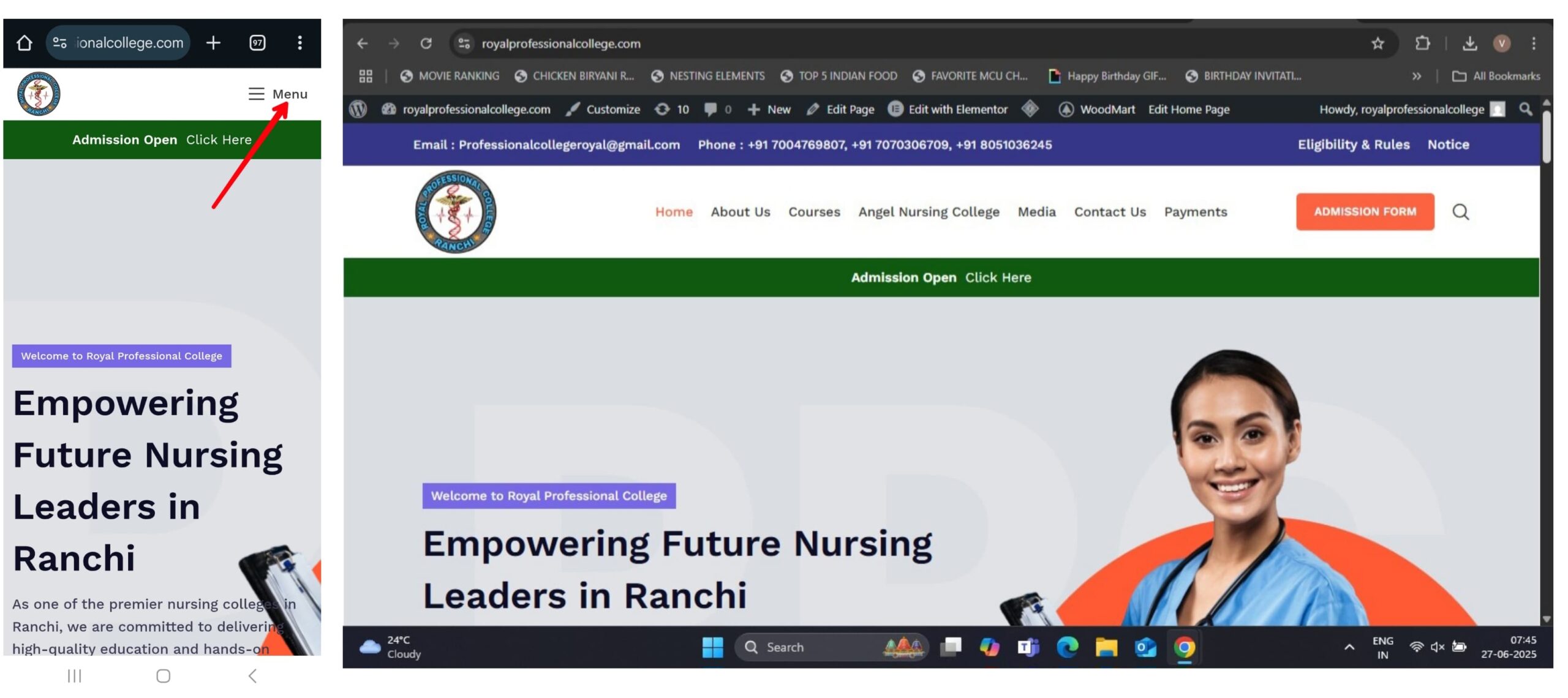
On Mobile Devices: Tap the Menu button (usually at the top-right or side of the homepage).
On Desktop (Windows): The menu will be clearlyvisible at the top of the page.
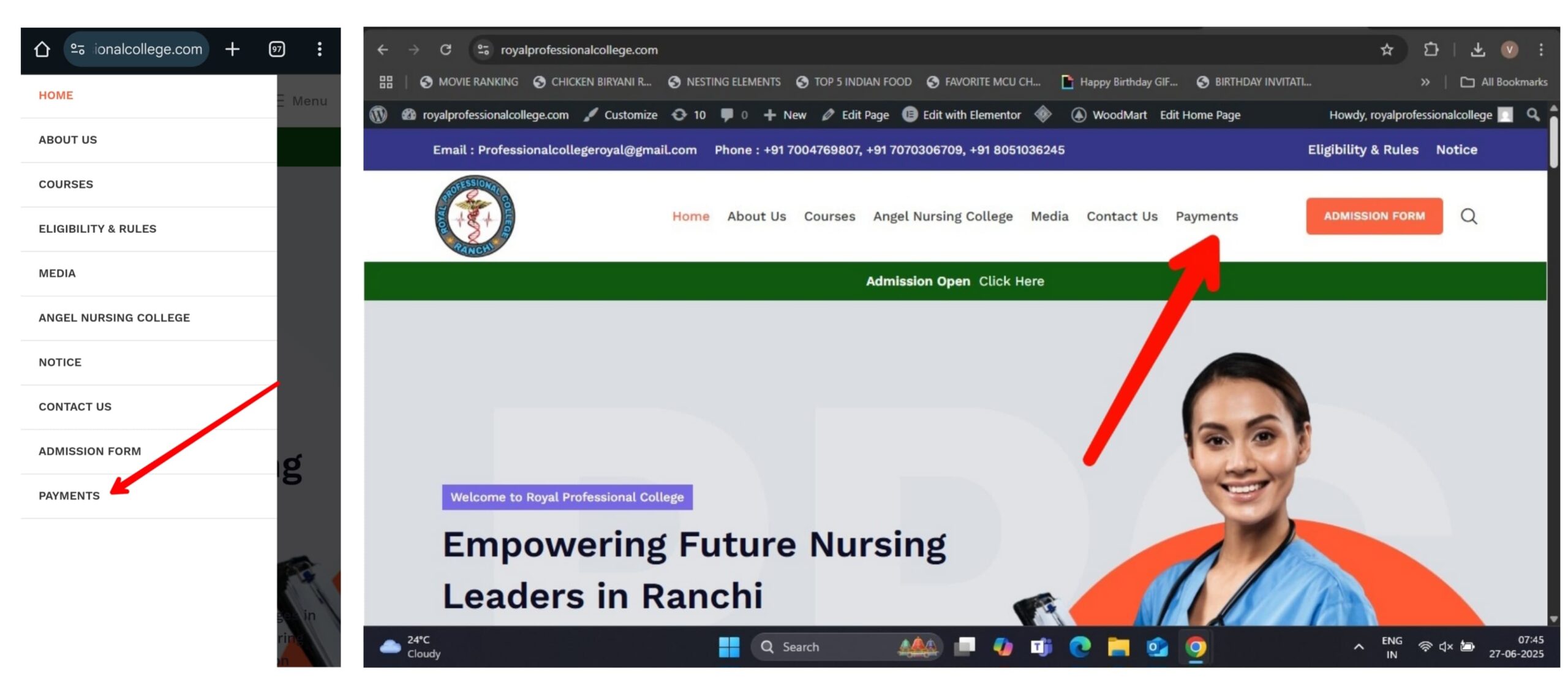
3. Go to the Payments Section
In the menu options, click on “Payments.”
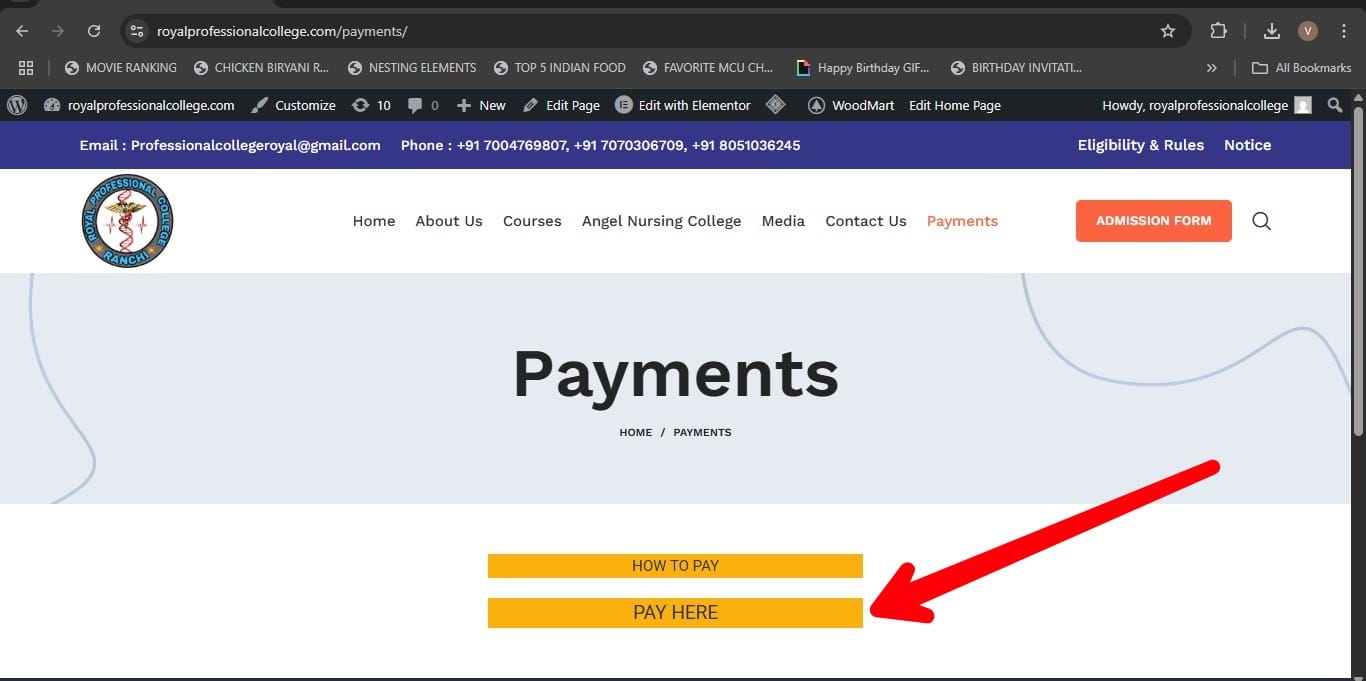
4. Click on “Pay Here”
You will be redirected to the official online payment portal.
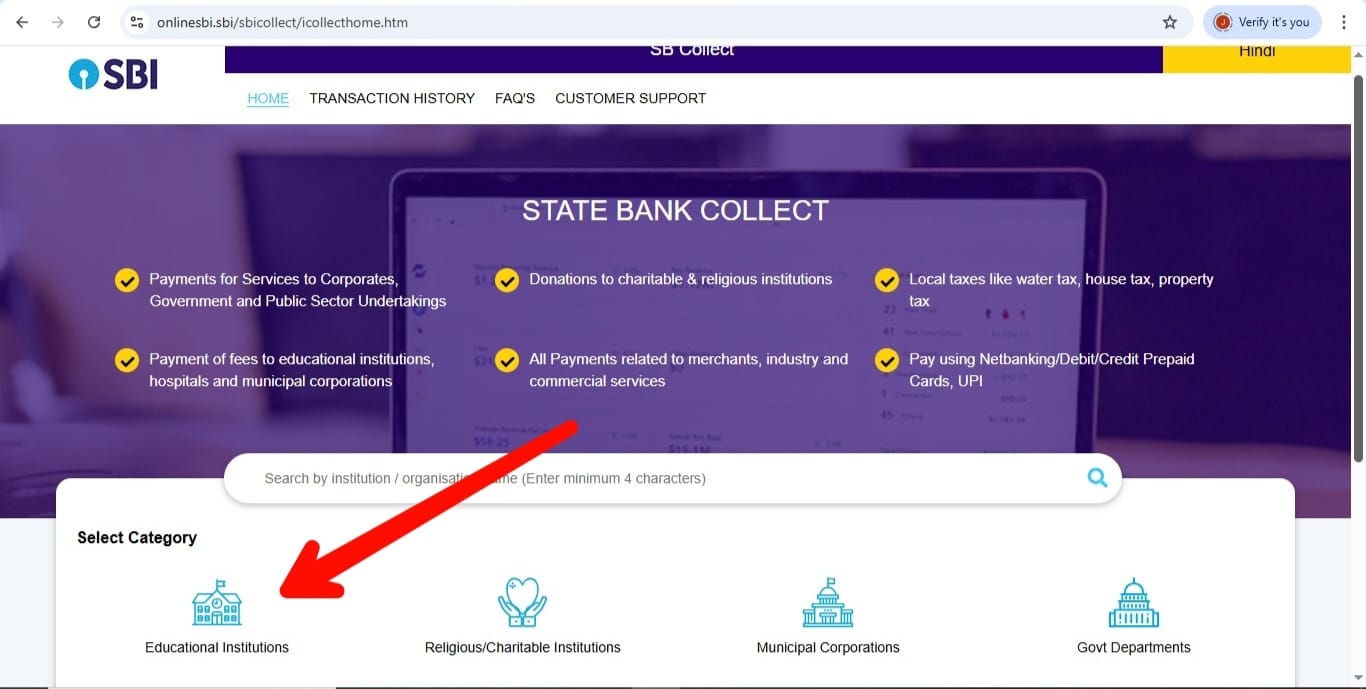
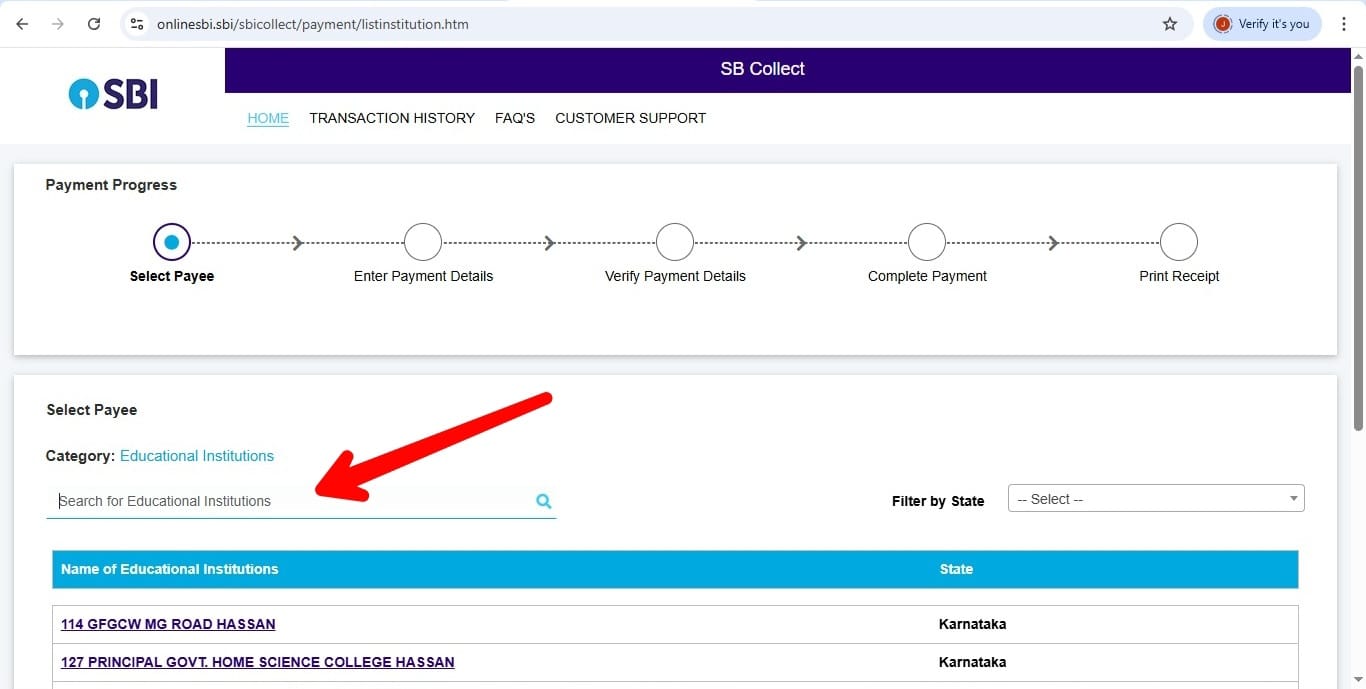
5. Select Payment Category Type
From the drop-down under Select Category, choose Educational Institute.
6. Search for the College
A search bar will appear. Type: ROYAL PROFESSIONAL COLLEGE (Enter the name exactly as shown in all capital letters for best results.)
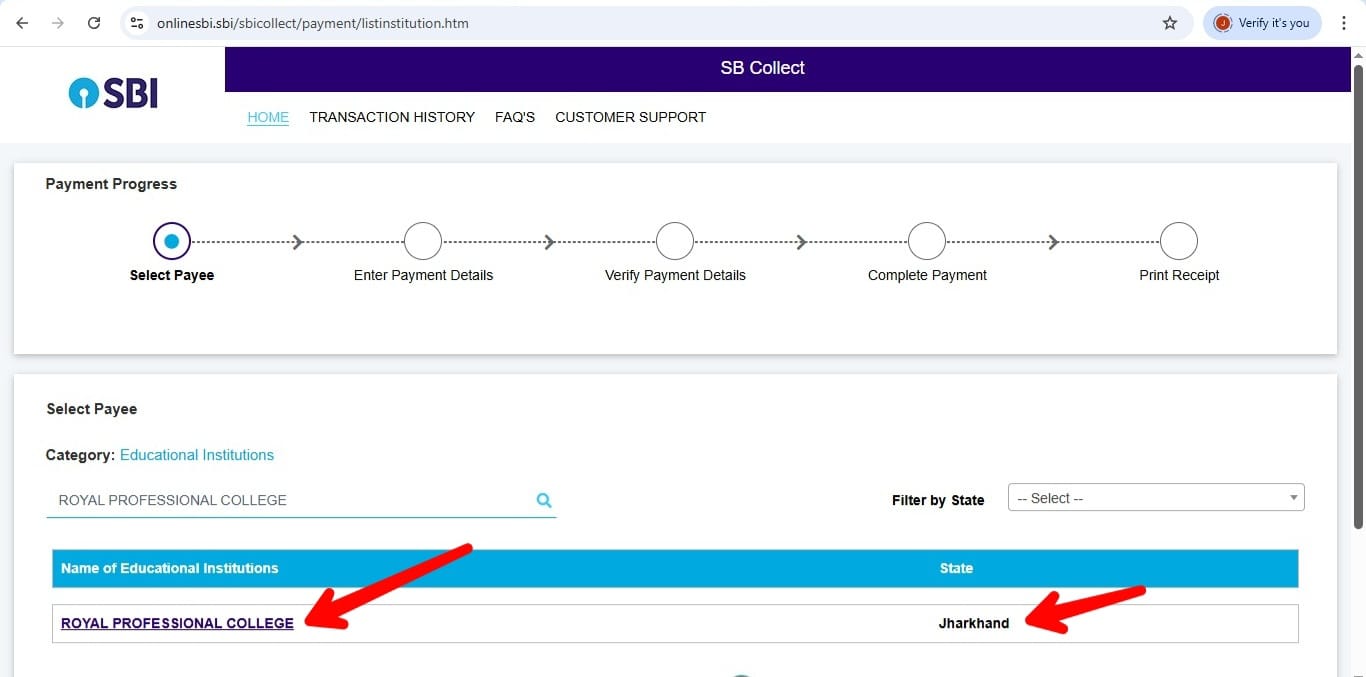
7. Select the College
Before selecting, make sure the state is ‘JHARKHAND’. Then, from the search results, click on ROYAL PROFESSIONAL COLLEGE.
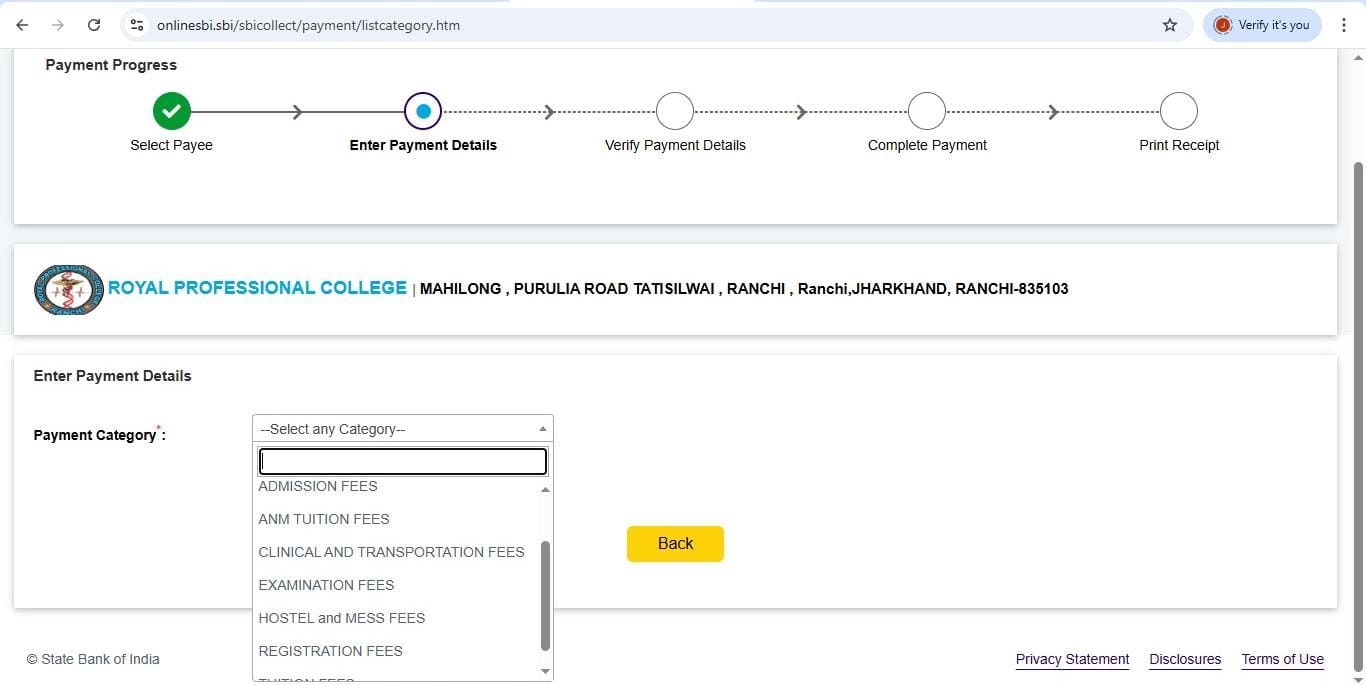
8. Choose the Payment Category
A list of available Payment Categories will appear (e.g., Admission Fee, Tuition Fee, Exam Fee, etc.). Select the category relevant to your payment.
9. Enter Details and Make the Payment
Fill in all the required information such as your name, registration number, course details, etc. Proceed to make the payment using your preferred method (e.g., debit/credit card, UPI, net banking).